Windows Password Recovery Tool Usb For Mac
ISeePassword is a professional password recovery software provider, which can help users recover lost password for Windows system, Office document and iTunes backup. Easy and Safe. Now all the password recovery tools will silently get executed in the background (This process takes hardly a few seconds). The passwords get stored in the.TXT files. Remove the pen-drive and you’ll see the stored passwords in the.TXT files.
- Windows Password Recovery Tool Usb For Mac
- Windows Password Recovery Tool Free
- Windows Vista Password Recovery Usb
'I forgot Windows 7 password on my Mac laptop, and there is only one user account which is the administrator. How I can get into Windows? Is there any way to reset lost Windows password from the Mac side with Boot Camp Assistant?'
With Boot Camp Assistant you can install Windows on your Mac computer, which allows you to dual-boot your machine between OS X and Windows. However, the files stored on your Windows OS cannot be accessed from within Mac OS. So if you forgot the admin password of the Windows system running on your Mac machine, you'll lose access to your Windows files.
PCUnlocker is a bootable utility which can reset forgotten Windows password on any PC or Mac, which supports booting in EFI/UEFI and Legacy/CSM BIOS mode. In this tutorial we'll walk you through resetting lost admin / user passwords for Windows running on a Mac.
1Create A PCUnlocker Live CD on Mac
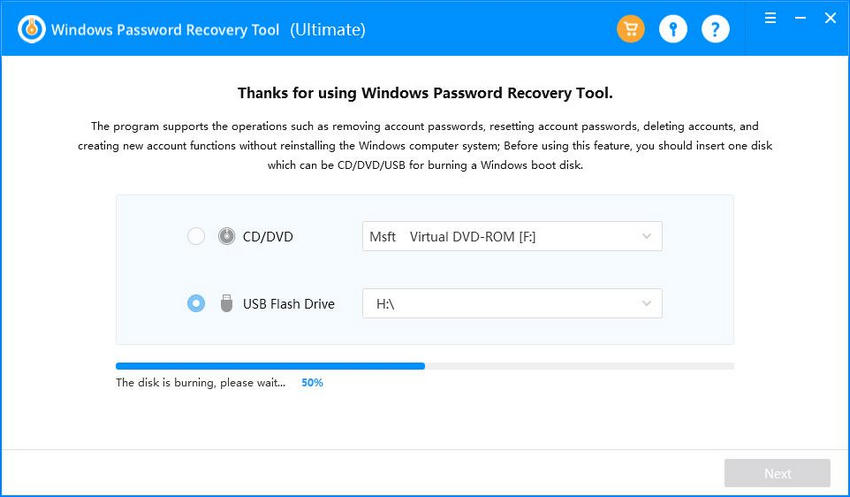
First of all, you need to log in to your Mac OS X and make a PCUnlocker Live CD. Of course this can also done using a Windows PC. ISO2Disc is a Windows app which allows you to create a EFI/GPT bootable CD or USB drive from PCUnlocker ISO image.
- Click here to download and save the PCUnlocker program on your Mac OS X. The downloaded file is a self-extracting zip archive which contains a WinPE-based ISO image called pcunlocker.iso.
- Double-click on the .zip file you have downloaded, Archive Utility should appear and automatically extract your files. Once the files have been extracted, you can find the pcunlocker.iso file in a folder located in the same location as the original .zip file.
- Insert a blank CD into your computer's optical drive.
- Open Finder and navigate to Applications ->Utilities and double-click Disk Utility.
- Once the Disk Utility is launched, click the Burn button at the top of Disk Utility in the toolbar.
- Choose the pcunlocker.iso file from the pop up window. Click on Burn and confirm your operation. Sit back and wait while your new disc gets written!
2Reset Windows Password from Mac
- Just shut down your Mac, then turn it back on. When you hear the Mac startup Chime, press and hold the 'Option/Alt' key. You'll be shown all the bootable drives on your Mac, including your CD drive or USB stick.
- Use the keyboard arrows to choose the CD/DVD-ROM, then press the Enter key. The computer will start up from PCUnlocker Live CD.
- Once the WinPE operating system inside the CD is loaded into memory, the PCUnlocker application will start. It displays a list of local user accounts that are detected from your Windows SAM database.
- Choose your administrator account and click on Reset Password button. It will reset your forgotten Windows admin password immediately.
- Click Restart to reboot your Mac and remove the CD. You can then log in to your Windows administrator account without a password. Done!
It's so easy to reset lost admin password for Windows running inside your Mac. If you need to reset the password for a Windows virtual machine running in VMware Fusion or Parallels on your Mac, just mount the PCUnlocker ISO image to the virtual CD drive and you can reset the password as well.
Ready to try or buy?
- Buy PCUnlocker Enterprise
- Download PCUnlocker
Related Articles
This tool requires physical access of course, and there are many things you can do once you have physical access, but this peaked my curiosity.
The tool in question: https://www.kickstarter.com/projects/jontylovell/password-reset-key?ref=discovery
Obviously the magic to this piece of hardware is what's contained on it, and if that is true, any usb key could be used to accomplish the same job. I know there are software like Katana and the like that can do similar things.
My question is, does anyone know what this could be running to make this happen? Is it rubber ducky-like (http://hakshop.myshopify.com/products/usb-rubber-ducky-deluxe) or something else?
Windows Password Recovery Tool Usb For Mac
I'm a security professional and penetration tester by trade, but no administrative windows expert and most of my work is done remotely, so I put this out to the on-site guys and the windows experts.
I'm not looking to knock off the product, in fact, I think quite the opposite, its a cool piece of kit and may purchase one for kicks. Just curious if anyone knows whats going on behind the curtain.
efickereficker6 Answers
Resetting a windows password is not equivalent to recovering a windows password.
Resetting a password
The password can be reset by booting to another operating system and editing the registry hive. This is trivial, and there are many tools which can do it, such as Trinity Recovery Kit. I suspect this USB stick just boots to a version of Linux and runs a few scripts.
In summary: Just write blank password entries into the SAM (which is basically just stored in the registry protected by an ACL so only SYSTEM can access it).
However resetting a windows password denies access to EFS encrypted files and DPAPI encrypted data, since the keys for these are encrypted using a KEK derived from the password. When the user changes their password, they are re-encrypted with the new KEK. Access to EFS and DPAPI resources is lost even if the administrator resets the password.
Recovering a password
A recovered password allows continued access to EFS and DPAPI protected resources. In addition, it may give access to additional resources (e.g. it may be a domain logon).
To recover the password you need a tool like John the Ripper, Lopht or HashCat. Which could also run off a USB stick. Extract the hashes from the SAM, feed them to a cracking program. Then reboot and log in with recovered passwords.
BenBenThe kickstarter page actually gives away the method:
Using the key you can boot the PC into a special admin mode that allows you to view all of the user accounts and reset any password. Quickly regain control of the PC and get back to work.
Basically you reboot the PC with a custom OS located on the USB flash drive itself; from that OS, the relevant files on the disk are modified. The USB device is nothing special: it is just a normal USB flash drive; the 'added value' of this device is purely aesthetic. Downloadable boot images which can do the same thing from a 'normal' USB flash drive can be obtained from various places, e.g. this one.
This password reset method will fail if any of the following holds:
The boot-on-USB option was deactivated in the BIOS, and a BIOS password was set to prevent reactivation (of course, some BIOS accept 'default passwords', and a BIOS password can be cleared by removing the CMOS battery, which is doable with physical access and a screwdriver).
The operating system uses disk encryption and requires a password upon boot -- not just as a verification, but because the encryption key is derived from the password (TrueCrypt can do that).
Also, as @Ben explains, a password reset is not recovery: that which was encrypted with a key derived from the old password remains inaccessible.
Thomas PorninThomas PorninThere have been Windows password reset CDs for some years that let you do this. You can put a slightly modified image on a bootable USB stick. I presume this key simply packages existing software in a pre-packaged key.
The reset CDs do NOT work if the disk is encrypted. All security professionals know that a non-encrypted disk is not safe against an attacker with physical access.
Two popular boot CDs work in completely different ways:
Offline NT Password & Registry Editor - This is actually a bootable Linux system, which can read the Windows file system, and reset a password hash. It works most of the time, but the support for the Security Accounts Manager (SAM) - where Windows stores password hashes - is not perfect. So sometimes it just doesn't work, and risks corrupting the SAM. This is free.
Kon Boot - This boots the Windows system that is password protected, but hot patches it to disable asking you for a password - you just get logged in as administrator automatically. In my experience it is more reliable than the other tool. It is not free, but is quite cheap.
There may be other approaches, in particular based on Windows PE but I'm not familiar with them.
paj28paj28Password Reset Key seems to contain a modified Windows PE OS. I think it is something similar to PCUnlocker Live CD/USB drive. It's not a completely new thing. There are many freeware such as Rufus, ISO2Disc which allows you install a Windows OS on a USB drive.
I bet the use 'Ultimate Boot CD running BartPE' there was a live cd on the net some time ago this did let you do all these operations.I am sure it will not decrypt the password hash on the fly..It will rather exchange that hash with an own generated... pasword reset like...And will have the same effect.http://obrazki.tnttorrent.info/tnt24.info_German_Police_-_Special_Windows_Boot_CD_ENG_GER_.2218__253984.gif?imageSimilar to this one. this windows live cd was also only some hundred mb. and you could start it also while pc was locked, it made a new start button pop out and gave you access to everything through this.
In windows you can replace 'utilman.exe' with 'cmd.exe' using a windows installer media.
Boot into repair mode and open up a command prompt, CD into C:, go to system32, backup the exe's and replace utilman with cmd.
Restart your computer, click the 'ease of access' button down in the left corner, suddenly, a wild CMD prompt appears with admin rights.
Now you can just change the PW of any user.
protected by Community♦Oct 21 '14 at 9:38
Windows Password Recovery Tool Free
Thank you for your interest in this question. Because it has attracted low-quality or spam answers that had to be removed, posting an answer now requires 10 reputation on this site (the association bonus does not count).
Would you like to answer one of these unanswered questions instead?